- Free preview
- Letter, A4, A3 and more
- Picture never uploaded
Print a Large Image on Multiple Pages
Turn any picture into a giant poster you print at home: choose the size or how many sheets across, and get a PDF with cut marks, overlap strips for gluing, labels and an assembly map.
A photo, a map, a drawing or a chart. Bigger pictures print sharper; any size works.
JPG, PNG or WebP. Your photo stays on this device.
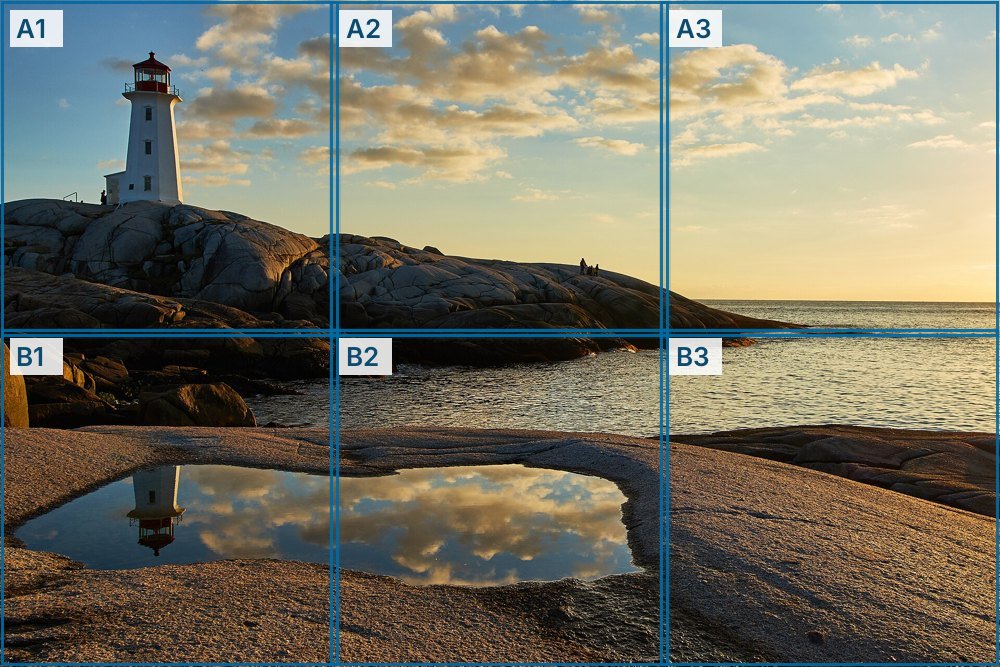
Pictures turned into wall posters
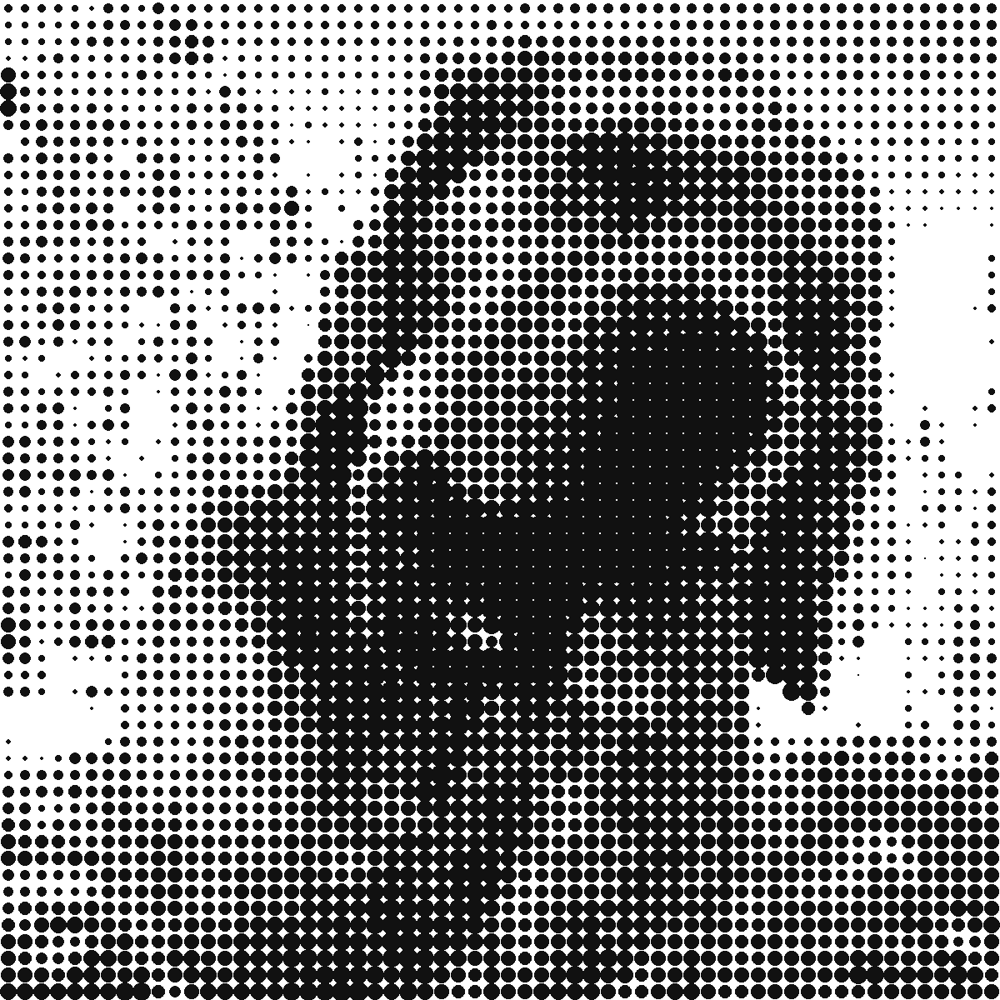
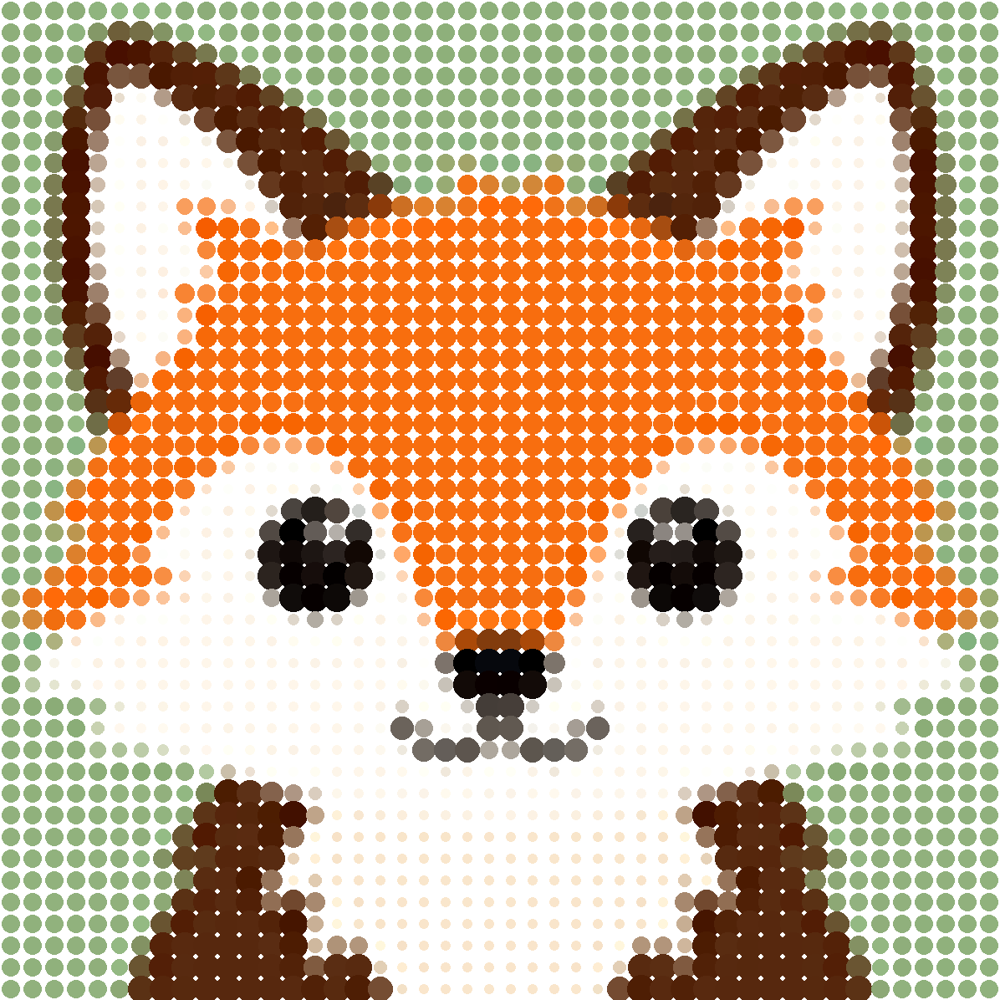
A photo split into sheets, and the halftone dot style in black and in color.
Free to design. Pay only for the files.
No account and no subscription. You see exactly what you're buying before you pay.
- Upload, crop and every setting
- Live preview with every sheet marked
- Sheet count, size and print sharpness
- A watermarked preview image
- The multi-page PDF, no watermark
- Cut marks, overlap guides and sheet labels
- Assembly map on the first page
- Change the size and download again for 7 days
- Unlimited posters for 30 days
- Any size and paper
- For classrooms and events
- Doesn't renew. No subscription
From picture to wall poster in three steps
 1
Upload a picture
A photo, a map, a drawing, a chart or a kid's artwork. Crop to the part you want on the wall.
- 2
Choose the size
Pick how many sheets across (or type the width), the paper, and how much overlap you want for gluing. You see exactly where each sheet goes.
- 3
Print, trim and assemble
Print the PDF at 100% on any home printer, trim on the cut marks, and tape the sheets together using the labels and the map.
How big can I print?
As big as you like: up to 240 inches (6 m) wide, over as many sheets as it takes. Choose By sheets across for a quick setup (3 sheets across on Letter makes a poster about 24 inches wide), or By width to fit an exact wall.
| Sheets across (Letter, portrait) | Poster width | Good for |
|---|---|---|
| 2 | about 16 in (41 cm) | A desk or door poster |
| 3 | about 24 in (61 cm) | A classic poster |
| 5 | about 40 in (1 m) | A statement wall piece |
| 8 | about 64 in (1.6 m) | A mural |
The tool shows the effective print resolution. Around 100 dpi looks great on a wall; a phone photo easily covers 3 to 4 sheets across.
Assembling your poster
- Print at 100% ("Actual size"). Turn off "fit to page" or "scale to fit" in the print dialog.
- Trim each sheet on its cut marks. With overlap on, trim the right and bottom edges and keep the shaded overlap strip on the left and top.
- Lay out the sheets in order using the labels (A1, A2, B1…) and the map on the first page.
- Join them: slide each overlap strip under its neighbor and tape or glue from the back. A glue stick on the overlap gives the neatest result.
With no overlap, butt the edges together and tape from behind. Overlap hides the small differences every home printer has at the edges.
Halftone dot posters
Switch the style to Halftone dots for a bold, graphic poster made of big dots, like a newspaper photo blown up to wall size. Each dot's size follows how dark that part of the picture is, so up close it's an abstract pattern and from across the room it's the picture.
Dot posters use very little ink, print crisp at any size (even from a small photo), and look great in black or in color. Bigger dots make a more abstract poster; smaller dots show more detail.
Tips for great results
- Use the biggest version of the picture you have. Photos straight from a phone or camera print far better than images saved from social media.
- Match the paper to the printer. Letter for US home printers, A4 everywhere else; Tabloid or A3 if your printer takes it, for fewer sheets.
- Check the margin. Most printers can't print the last quarter inch; if your sheets come out clipped, choose a 0.4 in margin.
- Matte paper hides the joins better than glossy.
Frequently asked questions
Is it free?
You can upload a picture, try every setting and see the poster with every sheet marked for free. The poster PDF costs $2.99 per poster (change the size and download again for 7 days), or $6.99 for unlimited posters for 30 days. Both are one-time payments; there's no subscription.
How do I print a big picture on multiple pages?
Upload the picture, choose how many sheets across or the width you want, and pick your paper. Download the PDF and print every page at 100% scale, then trim on the cut marks and tape the sheets together following the labels and the map on the first page.
Will the picture be blurry?
The tool shows the print resolution. Around 100 dpi and up looks sharp on a wall; lower is fine from across a room. If it's low, use a bigger original or fewer sheets, or switch to halftone dots, which print crisp at any size.
What paper sizes are supported?
US Letter, A4, Legal, Tabloid (11 × 17 in) and A3, in portrait or landscape. Mixing isn't needed: every sheet of a poster uses the same size.
Why do the sheets overlap?
Home printers can't print to the edge and never line up perfectly. A small overlap strip lets you glue the sheets together without gaps or white lines. You can set it to none, a quarter inch or half an inch.
Is my picture uploaded?
No. The poster is made in your browser, and your picture is saved only in this browser so your work is still there if you come back. Use New picture to remove it. The only things sent to our server are the checkout request and, after paying, a check that the payment went through.
Ready to print a giant poster?
Free preview · Letter, A4, A3 and more · Picture never uploaded